Contents
Introduction to Sending Information to Public Trust
Once the status of a Study Contract has a status of Enrolment Accepted, the details of the student, programme and fee may be sent to Public Trust so that Public Trust can assign a Student Fee Trust Account where any fees will be paid into. The individual Study Contract is first marked for sending. A batch is generated later to collect the details from all Study Contracts marked for sending. Artena will then create a csv file and send it via email directly to Public Trust.
Setup Access in the Security Administrator
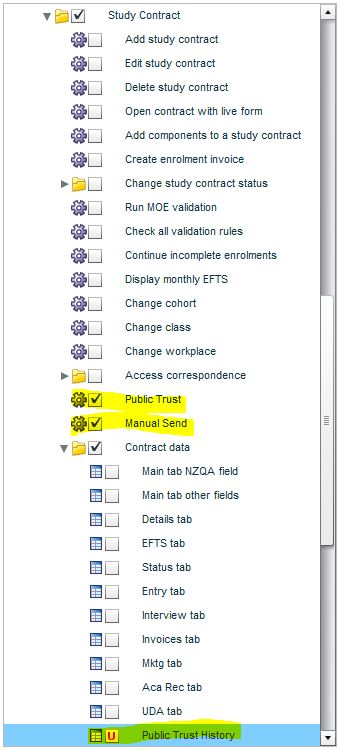
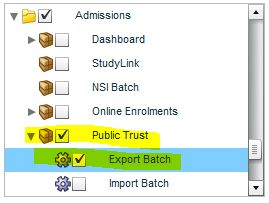
The following security must be configured to give access to sending infomation to Public Trust to create a student’s account.
client.person.student.studyContract.publictrust
client.person.student.studyContract.manualsend
client.person.student.studyContract.contractData.publictrust
admissions.publictrust
admissions.publictrust.exportBatch
Steps to Send Information to Public Trust
1
Mark a study contract to be sent to Public Trust in order to create the students account.
2
Email a batch of student information to Public Trust.
3
Cancel a record that is awaiting extraction before it is sent to Public Trust.