Use these steps to add a new Artena User when they have not already been added to Active Directory. Adding a new user via the Artena Security Administrator will:
Create a user in Active Directory
Add the created user to the Artena Security Group
Create the user in the Database
Send an account notification to the user
 This functionality is available only if the server is configured to enable it.
Contents
1
Login to Artena Security Administrator
Result: The Select an Institute screen displays and defaults with an Institute name which can be changed if required.
2
Click Select.
3
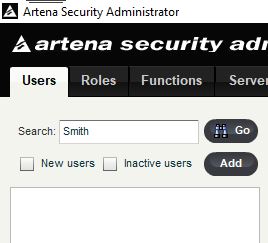
On the Users Tab, Search for a user, if they don’t exist click the Add button to create a new user.
4
Enter the user details and Save.
Result: The user name has been generated from:
first name
the first letter of the surname
and an index if a collision occurs
On success, a message is returned ‘User created successfully’
The user:
has been notified of their account creation and sent their initial password
has been synchronised
has been added to your institute
The search panel is pre-populated and a search has been executed.
